Tattoo Lettering and Fonts for Procreate (Script, Gothic, Graffiti)
There are two ways to do tattoo lettering in Procreate: lettering brushes, where each letter is a ready-made stamp you place and arrange, and installable fonts, where you type text in any app. Inkers offers both: 30+ lettering brush packs, matching PNG letter stamps, and tattoo fonts (OTF and TTF) across script, gothic, graffiti and calligraphy styles, built by tattooers, with a free letter pack to try.
Lettering is where a lot of tattoo work gets won or lost: spacing, weight and consistency matter more than any single glyph. The right tool depends on whether you want to hand-place stamped letters or type and adjust text. Here is how to choose.
Two ways to letter in Procreate
- Lettering brushes (stamp each letter). Every letter is a pre-drawn glyph you stamp, scale and space by hand. Best for expressive, one-off pieces where you want full control over each character. This is the bulk of the Inkers lettering catalog.
- Installable fonts (type text). OTF/TTF fonts you install and type with in Procreate (and other apps). Best for laying out a quote quickly, then customizing.
Most artists use both: type a base layout with a font, then refine or rebuild key letters with brushes.
Styles Inkers covers
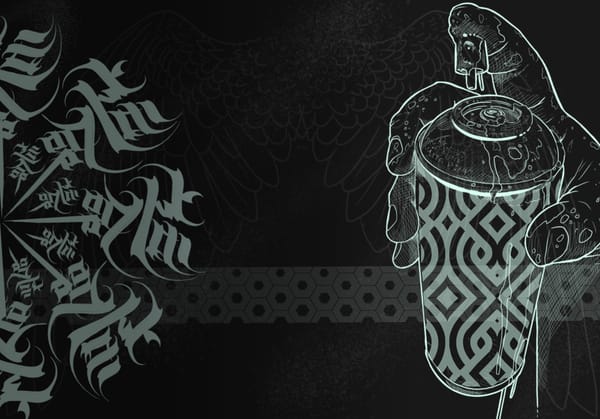
- Script and calligraphy: Calligraff'ink & Splash, Caliletter, Cal Letters, and calligraphy fonts.
- Gothic / blackletter: classic heavy display styles for traditional lettering pieces.
- Graffiti and bold display: Punk, FTW, The Bombs, Street, Chaos, Vicious and more.
- Named artist fonts: Louise, Michel, Gandhi (available as both brush packs and fonts).
- Numbered letter packs: a large Letters 01-17 range for straightforward alphabets and numbers.
Lettering brush packs
Inkers has 30+ lettering brush packs, from single-alphabet sets (about $1-2) to large collections. Highlights: Louise Font and Michel Font (200+ glyphs each), Punk and FTW for graffiti, Heart Letters, Calligraff'ink & Splash for script, and the numbered Letters 01-17 series. There is a free Letters Trib pack so you can test the workflow before buying.
Tattoo fonts (OTF and TTF)
If you would rather type than stamp, Inkers offers installable fonts: Inkers Gandhi (OTF/TTF), Chomsky, Noam, Inkers Chaos (OTF/TTF) and the Inkers Bitmap typo. TTF vector fonts work across most software; OTF and bitmap options suit Procreate and iOS.
PNG letter stamps (for non-Procreate artists)
Every major lettering pack also ships as PNG stamps (Letters 01-17, Louise, Michel, Punk, Gandhi, Heart Letters and more), so you can letter in Photoshop, Clip Studio or Procreate Pocket, not just Procreate on iPad.
How to use them
- For a font: install it, type your text, then convert to a layer you can reshape.
- For brushes: stamp each letter on its own, then adjust spacing (kerning) by eye. Tattoo lettering rarely looks right at even, mechanical spacing.
- Reduce to clean single-weight linework for your stencil.
There is a short Inkers tutorial, "Draw a rosette with the Louise font pack," that shows the brush workflow end to end.
Honest alternatives
- Procreate's built-in text tool with any installed font is enough for simple, clean layouts.
- DaFont / Google Fonts for free general-purpose fonts, though few are tuned for tattoo lettering.
- Inkers earns its place on breadth of tattoo-specific styles and having brushes, fonts and PNGs in one place.
Watch how it's done
Related Content
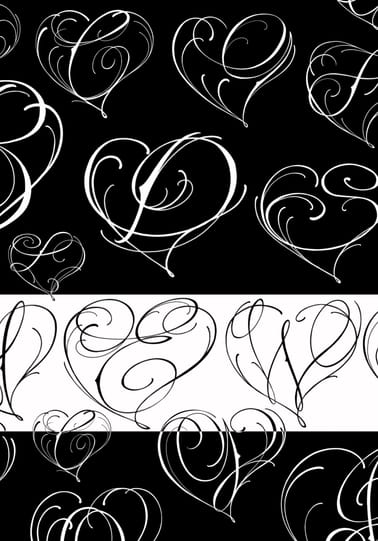 Brushes Pack Heart Letters
You can also get it in the Inkers app

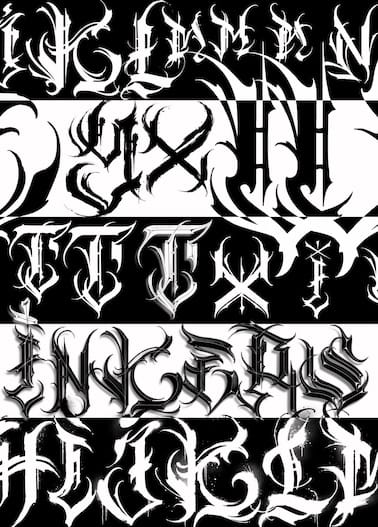 Brush Pack Punk Font
You can also get it in the Inkers app
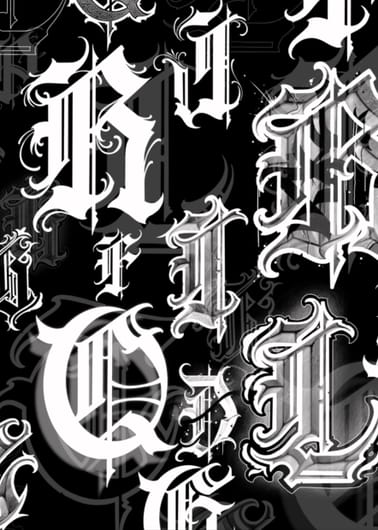 Brush Pack Michel Font
You can also get it in the Inkers app
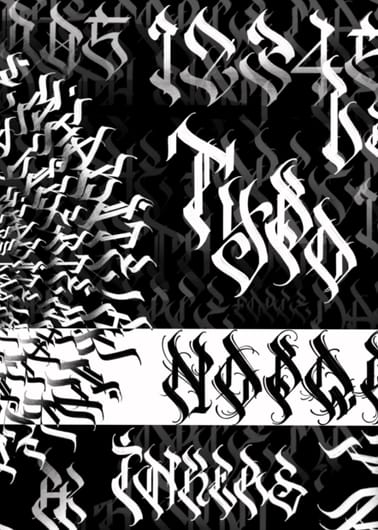 Brush Pack Louise Font
You can also get it in the Inkers app
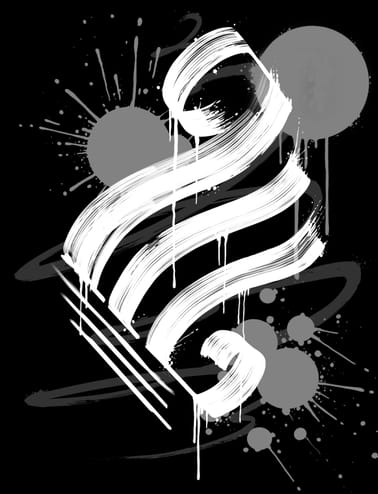 Brush Pack - Calligraff'ink & Splash
You can also get it in the Inkers app
FAQ
Should I use lettering brushes or fonts for tattoo lettering?
Brushes give you per-letter control and an expressive, hand-built look; fonts are faster for laying out a quote you will refine. Many artists start with a font, then rebuild key letters with brushes.
What is the best font for script tattoos?
For flowing script, a calligraphy-based set like Calligraff'ink or a script font works best; the key is adjusting spacing by hand rather than relying on default kerning.
Do these work outside Procreate?
Yes. The fonts (especially TTF) work across most software, and every major lettering pack ships as PNG stamps for Photoshop, Clip Studio and Procreate Pocket.
Can I use them for paid client work?
Yes, the packs are made for professional tattoo use. Always double-check custom quotes and spellings with the client before tattooing.